> For the complete documentation index, see [llms.txt](https://docs.troqueedevolva.com.br/llms.txt). Markdown versions of documentation pages are available by appending `.md` to page URLs; this page is available as [Markdown](https://docs.troqueedevolva.com.br/rastreamento/transportadoras/integrando-br-comerce.md).
# Integrando BR Comerce
Para rastrear pedidos enviados pela BR Comerce, integre a transportadora ao seu painel usando as credenciais fornecidas por ela.
Dentro do Painel Troque e Devolva, clique em **Configurações** -> **Transportadoras**. Depois, clique no botão **Criar Transportadora**.
### 1. Preenchendo o nome da transportadora
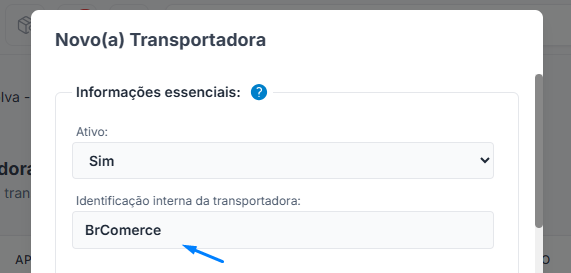
Preencha o nome da transportadora BR Comerce. Na lista de transportadoras, selecione BR Comerce:
### 2. Preenchendo as credenciais de integração BR Comerce
Desça mais a tela e insira o dado necessário:
* Token De Integracao:
**Para obter essa credencial, entre em contato com a BR Comerce** informando que você precisa do Token de integração para conectar com seu sistema de gestão.
Depois disso, clique em **Salvar**.
### 3. Aguardando a autenticação
O sistema irá verificar as credenciais informadas e exibirá detalhes, caso encontre algum erro.
**Em caso de credenciais incorretas, um aviso será exibido.**
Se não aparecer nenhum aviso, a BR Comerce estará integrada em sua conta e os pedidos começarão a ser monitorados automaticamente.